Friday, February 8, 2019

iPhone 7 No 4G Signal [DONE]

No 4G Signal Issue

Signal issues that are caused by scheduled and unexpected outages are typically get resolved once the outage ends. But that is not the case with other network signal problems that are triggered by some other factors. Network signal issues can likewise yield to other pertinent issues to arise on the iPhone. Without a stable signal or reception, calling and texting functions are also affected. This can be very frustrating especially if you are relying much on your iPhone for personal or business transactions. Unless the problem is not caused by an outage, any of these network signal issues has to be fixed as soon as possible.


 Procedure: 

1.  Remove the Power AMP IC (QORVO B100).
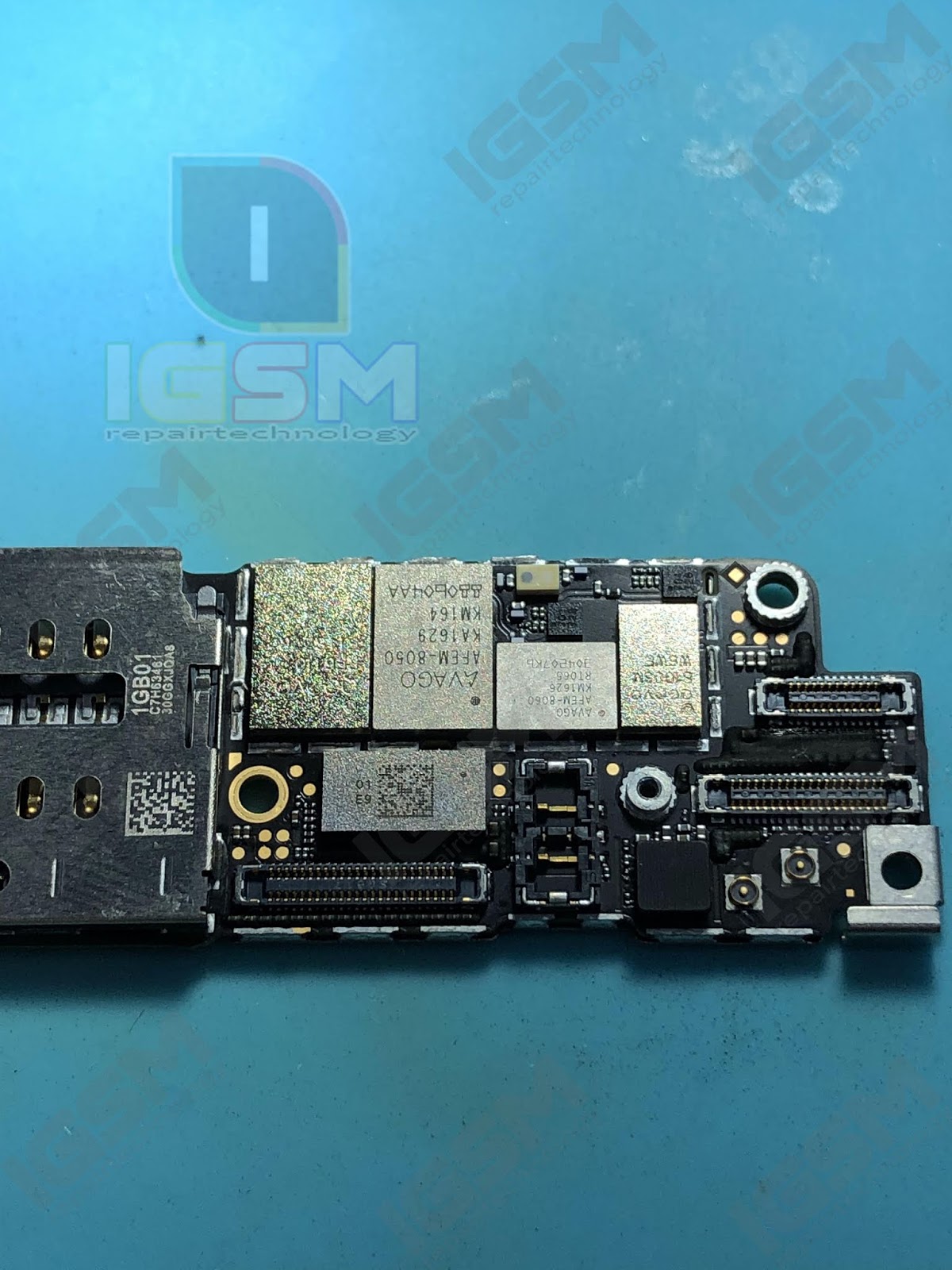


2. Cleaned.


3. Put new Power AMP IC (QORVO B100).


Done:


THIS POST IS FOR REFERENCE ONLY!

Thursday, February 7, 2019

iPhone 7 Plus No Power (Shorted SDRAM) [DONE]

No Power (Shorted SDRAM)

Reasons for shorting in circuit motherboard of Mobile Phones

  • The most common reason is phone drenched or fallen in water.
  • Handset overheating.
  • Trying to use an incompatible or faulty charger for charging
  • Sparks or smoke coming out of the handset due to any reason.
  • Over charging or using while charging. 
Procedure:

1. Checking using multimeter or multitester (line of SDRAM is shorted).


2. Remove the RAM IC and clean.


3. Put new RAM IC.


Done:


THIS POST IS FOR REFERENCE ONLY!
 

iPad 9.7 5th Gen Error 9 [DONE]

Error 9 

Error 9 is among the error codes that prompt during firmware updates or system restores on iPhones or iPads via iTunes. As described in the Apple support page. To put it simply, the error is actually due to problems in connectivity between NAND IC to CPU. 


Procedure:

1. Remove the old NAND IC.


2. Cleaned.


3. Read and write the original details using JC Repair Assistant.

4. Put the new NAND IC.


5. Restore in itunes with latest ipsw.

Done:


THIS POST IS FOR REFERENCE ONLY!

iPhone 7 Vibration Not Working [DONE]

Vibration Not Working
When your iPhone rings, but does not vibrate, it may be because the vibrate function is not turned on, or it could be caused by a problem with the iPhone's. A common problem that iPhone users face is that their iPhone doesn’t vibrate in silent mode. Other people’s iPhones won’t vibrate when the ringer is turned on. 

Procedure:

1. Remove the M2800 IC.


2. Cleaned.


3. Put new M2800 IC


Diagram:


Done:


THIS POST IS FOR REFERENCE ONLY!

iPhone X No Sim [DONE]

No Sim

Generally, this error message will appear if the SIM card in your device is not placed properly. When this happens, your device can’t read the SIM card. But in some circumstances, the message can also indicate that there are corruptions within the iOS software that create this error, which block your device from being able to detect the SIM card in your device. This time sim reader is faulty, just replace it.

Procedure:

1. Remove the old sim reader.


 2. Put the new sim reader.


Done:


THIS POST IS FOR REFERENCE ONLY!

iPad Pro 9.7 iCloud Issue [DONE]

iCloud Issue

The iCloud security feature has likely cut down on the number of iPhones that have been stolen, but enterprising criminals have found ways to remove iCloud in order to resell devices. To do this, they phish the phone’s original owners, or scam employees at Apple Stores, which have the ability to override iCloud locks. Thieves, coders, and hackers participate in an underground industry designed to remove a user’s iCloud account from a phone so that they can then be resold. 


Procedure:

1 . Remove the NAND IC.


2. Write the new SN+WIFI+BT Address using JC Repair Assistant.


3. Reball the NAND IC.


4. Put the NAND IC.


5. Restore in itunes with latest ipsw.

Done:


Note: For new SN+WIFI+BT Address to remove icloud activation, contact us.

(Costumer request 128gb to 64gb).

THIS POST IS FOR REFERENCE ONLY!

Wednesday, February 6, 2019

iPhone 7 No Modem Firmware [DONE]


No Modem Firmware

The modem firmware number shown in “About” means that there is baseband, if no modem firmware shown in “about” it means there is no baseband, do not insert SIM card and then access dial-up interface to input * # 06 # directly, under normal circumstances, IMEI serial number will be shown same as what you can find in “about” interface.In this iPhone, no IMEI serial number shown when dial * # 06 #, since we’ve already found out that there is baseband in this phone, in this case, no need to consider if it’s caused by the baseband, mostly the problem is caused by the RFF3 bus of baseband.


Procedure: 

1. Remove the BASEBAND IC. 


 2. Cleaned


3. Reball the BASEBAND IC


4. Put it back the BASEBAND IC


Done: 


THIS POST IS FOR REFERENCE ONLY!